
JuhRadial MX Wiki
The ultimate Logitech MX Master experience on Linux
Radial Menu · Thumb-Wheel · Per-App Profiles · Haptics · Easy-Switch · Flow
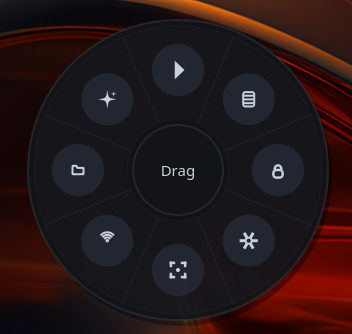
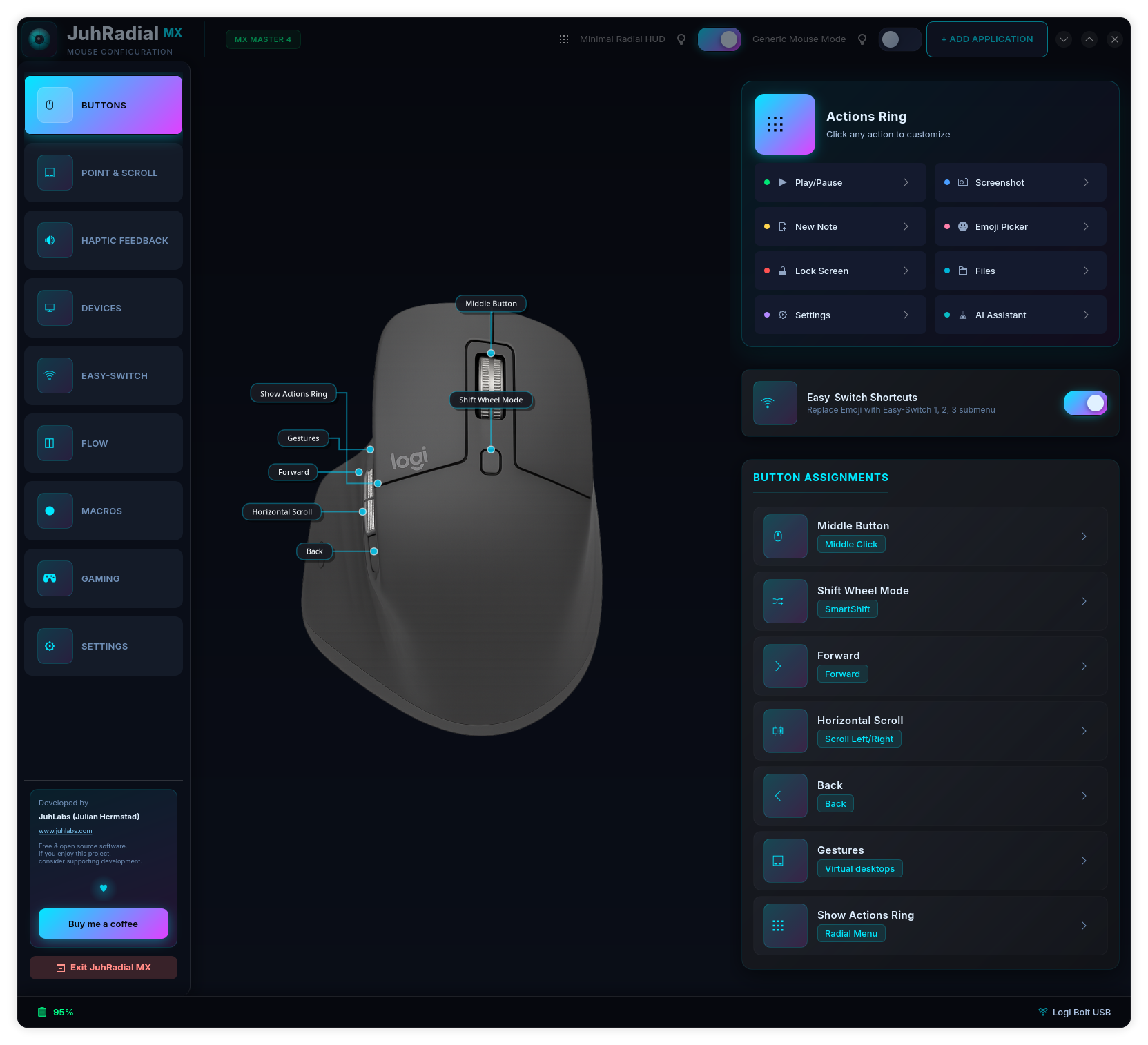
Welcome. JuhRadial MX brings the full Logitech MX Master experience to Linux, native on Wayland: a radial gesture menu, haptic feedback, button and thumb-wheel remapping, per-application profiles, Easy-Switch, and cross-computer Flow. This wiki is the complete guide.
Quick install
The installer detects your distro, installs dependencies, builds from source, and sets up autostart. Full steps and per-distro notes: Installation.
Explore
| Page | What's there |
|---|---|
| Installation | One-line install, per-distro steps, build from source, updating |
| Features | Radial menu, remapping, thumb-wheel, haptics, Easy-Switch, Flow, gaming, macros |
| Configuration | config.json reference, themes, per-application profiles |
| [Compositor Support](compositor-support.md) | GNOME, KDE Plasma 6, Hyprland, COSMIC, Sway, niri, X11 |
| Troubleshooting | Common problems and how to fix them |
| Architecture | How it works, for contributors |
| FAQ | Quick answers to common questions |
What is new in v0.4.1
The radial menu now opens on the cursor on GNOME Wayland, a second tap closes it again, only one overlay runs at a time, thumb-wheel assignments in the Buttons tab take effect, and the screenshot action picks a tool that works on the desktop you are running. See the Changelog.
A look at it
New here? Start with Installation, then skim Features. Stuck? See Troubleshooting or open an issue.